
Casea Casino Login in Canada
Accessing a Casea Casino account in Canada provides immediate entry to a personalized gaming dashboard and secure financial tools. This page explains the account login process, password recovery options, and the security measures protecting user data. By logging in, players can manage active bonuses, track their loyalty progress, and participate in live tournaments in a safe betting environment.
Log in at Casea Casino
After completing the registration, the Casea platform usually makes an automatic user login, directing players straight to their new dashboard. For subsequent visits, players can manually access their accounts using several secure options. Use one of these to make you Casea login fast:
- By telephone number. This method uses the mobile phone number linked to the account. It is particularly useful for mobile players who prefer receiving quick SMS verification codes for added security.
- By email. This is the traditional approach using a registered email address and password. It offers a reliable way to manage account details and receive important promotional updates directly.
How to Make an Email Login?
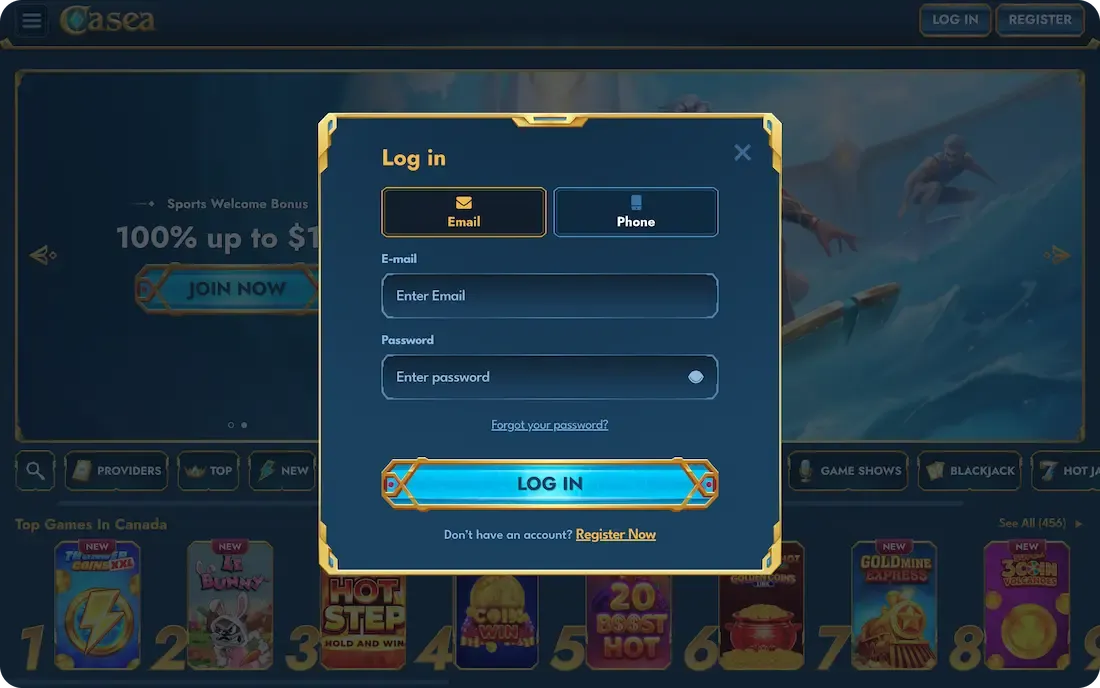
To log in to Casea using an email address, players should follow these simple steps to access their account securely:
- Open the official Casea website on a preferred desktop or mobile browser.
- Click the "Login" button located at the top right of the homepage.
- Enter the registered email address into the designated username field.
- Type the unique password created during the initial account registration process.
- Press the "Sign In" button to submit the credentials for verification.
- Enter the personal dashboard to begin playing or managing funds immediately.
How to Make a Phone Number Login?
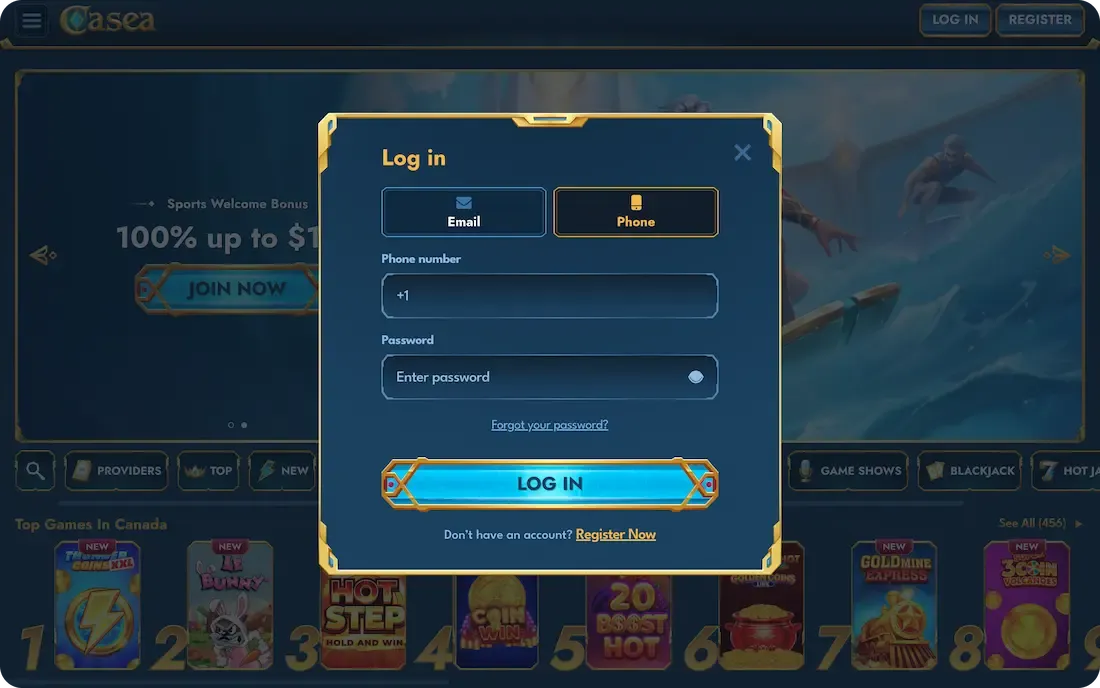
To make Casea Casino login using a phone number, players should follow this streamlined process to quickly gain access to their account:
- Open the main website and locate the login section on the screen.
- Select the phone icon or tab within the login window to switch methods.
- Provide the registered phone number, including the correct Canadian country code.
- Type in the account password associated with the mobile-linked profile.
- Click the login button to authorize the entry into the gaming account.
- Complete any secondary SMS verification if two-factor authentication is currently enabled.
Casea Casino Mobile Login
The mobile login at Casea Casino provides a seamless experience that fully mirrors the desktop version, ensuring consistent access for Canadian players on the move. There is no functional difference in account security or features between devices you make your login on. Accessing the platform requires only a few taps in a mobile browser, offering high-speed, touch-responsive navigation without a separate app.
How to Renew Access at Casea?
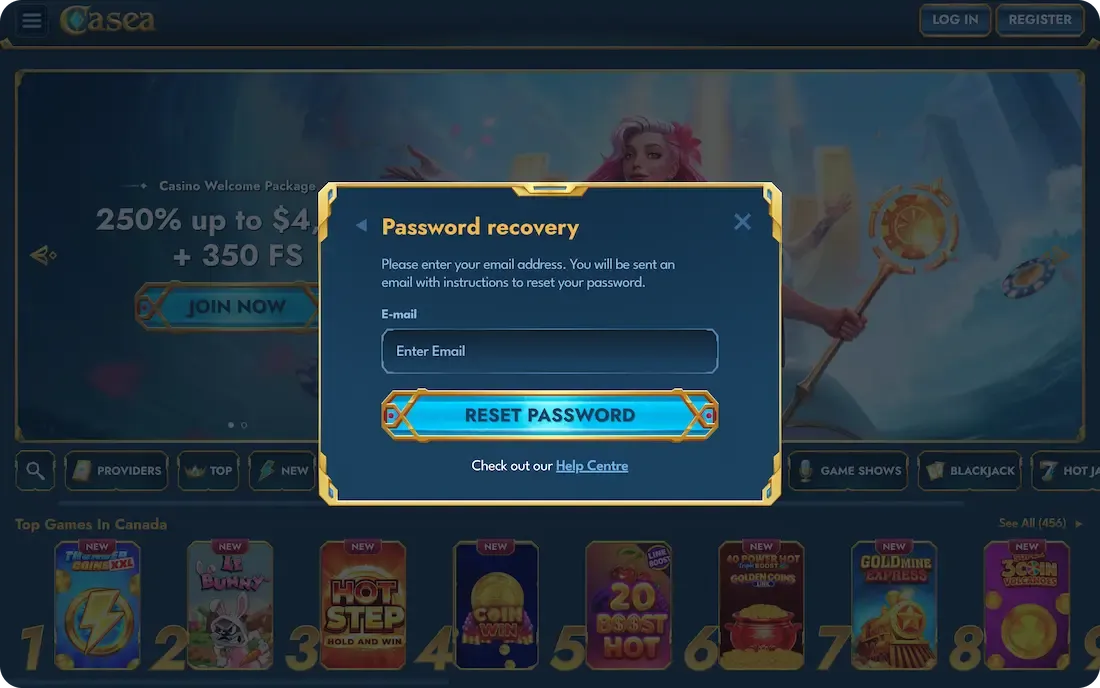
Losing access to your password at Casea can be frustrating, but the betting platform provides a built-in recovery tool to quickly restore access to your account. Here is how you do it:
- Click the login button and select the "Forgot Password" link provided.
- Enter the registered email address or phone number linked to the account.
- Press the button to request a secure password reset link or code.
- Open the email inbox or text messages folder for the recovery message.
- Click the verification link to open the secure password change page.
- Type a new, strong password and confirm it in the second field.
- Return to the main page and log in with the updated credentials.
Login Data Security
Casea protects user information using 256-Bit SSL encryption protocols, ensuring login credentials and transactions remain private. To prevent unauthorized access, the platform supports two-factor authentication (2FA), requiring a secondary verification step.
Beyond encryption, sophisticated fraud-monitoring systems track suspicious activity and irregular login patterns in real time. The site also utilizes automated session timeouts and secure data storage to maintain high privacy standards.
If a player suspects their account is compromised, they should immediately update their password through the security settings. It is also essential to contact the customer support team via live chat to freeze the account and investigate any unauthorized actions. These combined layers of defense provide a secure environment for all Canadian players.
Casea Account 2-Factor Authentication
Using Google Authenticator adds a vital layer of defense beyond a password. This app protects your account from unauthorized access by generating a unique, time-sensitive code required for every login. You can download the app from the Google Play Store or Apple App Store and link it with the Casea account by following these steps:
- Access your account and navigate to the "Security" settings.
- Locate the 2FA section and toggle the feature on.
- Open the app and scan the QR code shown on the site.
- Save the emergency recovery codes in a safe, offline location.
- Enter the app's six-digit code into the website field.
- Submit the code to finalize your secure setup.
Common Casea Login Issues & Solutions
Encountering account login problems at Casea can be annoying, but these issues are usually related to specific technical factors or incorrect credentials. Fortunately, most hurdles have simple solutions that can be quickly implemented to resolve them. If difficulties persist, it may impact your ability to claim a Casea bonus or participate in live events.
|
Problem |
Solution |
|
Internet connection |
Check the stability of your Wi-Fi or mobile data. Restart your router or toggle Airplane Mode to refresh the signal. |
|
Customer Support |
Contact the 24/7 live chat team for help. They can check for server issues or account-specific restrictions. |
|
Data Cleaning |
Clear your browser's cache and cookies. Alternatively, try logging in using an "Incognito" or private window. |
|
Other Device |
Try signing in from a different phone or computer. This helps determine if the glitch is specific to one device. |
|
Forgotten Password |
Use the "Forgot Password" link to receive a reset code. Create a new password to regain access immediately. |
What to do if the Site is Blocked?
If you encounter difficulties accessing the Casea website in Canada, it is often due to local network restrictions or temporary technical maintenance. There are effective ways to regain access to your account and continue gaming without losing your data or progress.
- Use a VPN: A Virtual Private Network can help bypass local IP blocks by routing your connection through a different server. However, always check the brand’s terms to ensure VPN use is permitted for your region.
- Contact Customer Support: If the main domain is unreachable, try reaching out via official social media channels or their support email. They can often provide "mirror" links or alternative URLs specifically designed for uninterrupted access.
- Clear Browser Data: Sometimes, a block is actually a localized loading error. Clearing your cache or switching to a different mobile browser can frequently resolve the issue.
How to Delete Your Account?
Closing an account at Casea Casino is a permanent decision that requires direct communication with the platform's administrative team. This process is normally handled through official support channels to ensure that all security protocols are followed and the request is verified. If you have decided to end your membership, follow these steps to initiate the closure:
- Withdraw all remaining real money balances from the account dashboard.
- Open the live chat or compose an email to customer support.
- State clearly that you wish to permanently delete the account.
- Provide the necessary account details to verify your identity to support.
- Acknowledge the final confirmation message sent by the support representative.
- Allow the team to process the request and disable all login access.
Disclaimer: Deleting your account will result in the immediate and permanent loss of all remaining funds, bonuses, and loyalty points. Once the process is complete, the account and its associated data cannot be restored.
FAQ
How easy is it to recover the Casea login data?
Recovering your access data is simple via the "Forgot Password" tool on the login page. By entering your registered email or phone number, you will receive a secure reset link to create new credentials and regain access within minutes.
Can I access my Casea Casino account from multiple devices?
Yes, you can access your account from smartphones, tablets, or desktops. Casea supports multi-device compatibility, allowing you to switch between devices seamlessly while maintaining the same balance, security settings, and active bonuses across all platforms.
Can I update my account details at Casea?
You can update basic information, such as your password and phone number, directly in the "Profile" settings. However, for significant changes, such as your registered email or legal name, you must contact customer support to provide verification documents for security purposes.